reparación y piezas

Reciba ayuda de autoservicio

All other Dynabook branded products and accessories
Other »


Comprar piezas, accesorios o reparaciones

Dynabook Accessories

Purchase Dynabook Accessories


null

Dynabook Repair and Part services

Out of warranty laptop repair and parts


null


Obtener medios de recuperación
null

¿Desea un nuevo comienzo? Puede pedir medios de recuperación si necesita restaurar el software de su computadora personal Toshiba a su estado original de fábrica.

Serial Number is Required

¿Sabía? La mayoría de las computadoras Toshiba que se encuentran dentro del período de garantía tienen a su disposición opciones gratuitas de medios de recuperación.
Comprobar el estado del pedido

 
 AND 
Order number is required

 
Email Address or Serial is Required

  • Drivers & Software

    DRIVERS & SOFTWARE

    Download drivers, software patches, and other updates for your Dynabook product.

    Continue »
  • Battery Replacement for all notebook

    BATTERY REPLACEMENT

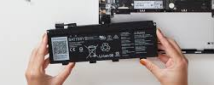
    Batteries on all Dynabook notebooks are replaceable, if your Notebook battery needs replacement either in warranty or out of warranty, Dynabook recommends taking it to an authorized provider for the battery to be replaced. Some notebooks have user replaceable batteries, please check your user manual to see if your notebook has a user replaceable battery. Batteries can be purchased from an authorized service provider.

    Locate an authorized provider »
  • null

    TROUBLESHOOTING ASSISTANT

    Battery won’t charge? Panel lights dark? Our troubleshooting assistant can help you avoid a trip to the service center.

    Start TroubleShooting »